Overview
This project documents the process of bringing an old laptop back to life, transforming it into a minimalist writing machine dedicated to personal journaling. The goal is to create a distraction-free environment for capturing thoughts, ideas, and daily reflections.
Goals
- Create a dedicated device for personal writing
- Maintain privacy with offline storage
- Extend the life of old hardware
- Reduce digital distractions
- Establish a consistent journaling habit
The Challenge
The laptop in question was showing signs of failure:
- Slow performance and frequent crashes
- Overheating issues
- Outdated operating system
- Limited storage capacity
- Battery degradation
The Solution
Hardware Revival
- Hardware cleaning and thermal paste replacement
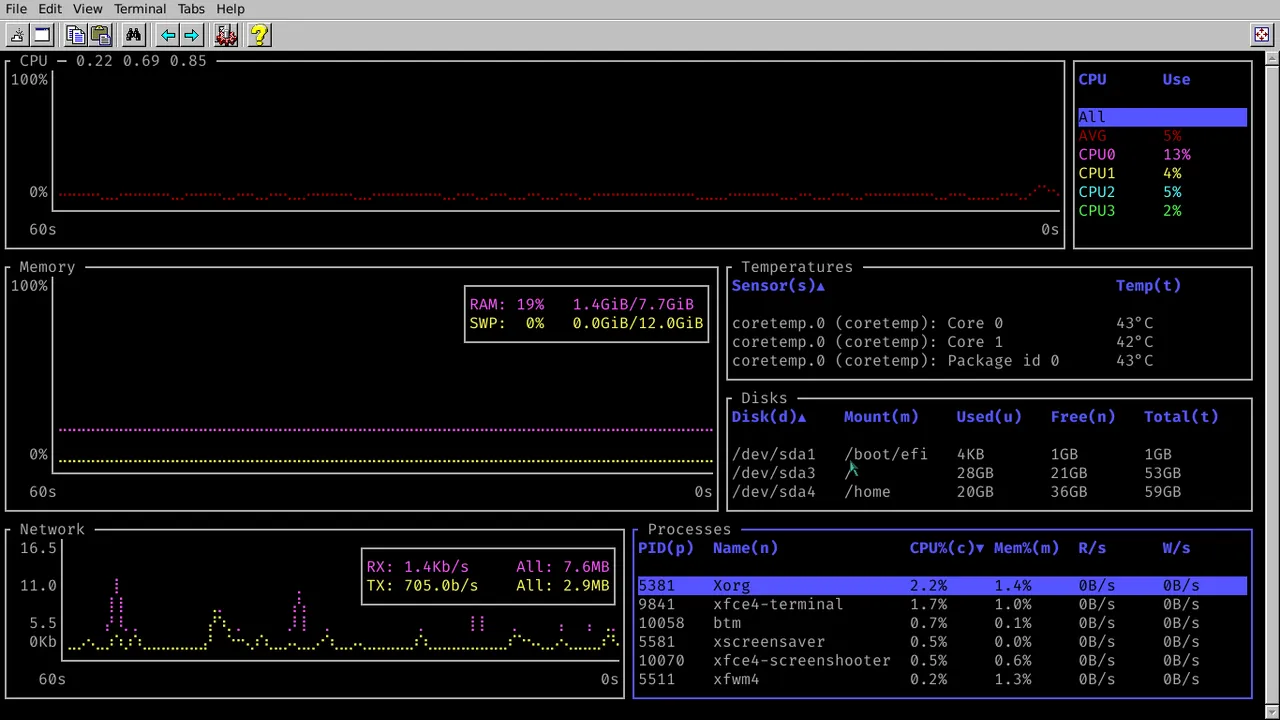
- RAM upgrade from 6GB DDR2 to 8GB DDR3
- Storage upgrade from HDD to SSD (if applicable)
- Battery replacement or removal for desktop use
- Cleaning and CPU thermal paste replacement
Software Optimization
- Lightweight Linux distribution installation
- Minimal desktop environment setup
- Distraction-free writing application
- Offline-first approach for privacy
- Custom configuration for optimal performance
Choosing the Operating System
Selecting the right Linux distribution was crucial for maximizing performance on old hardware. Several options were considered:
1. Arch Linux (Vanilla)
Pros:
- Rolling release: Always up-to-date packages
- Minimal base installation: Start with nothing and build exactly what you need
- Excellent documentation: Comprehensive Arch Wiki
- AUR (Arch User Repository): Vast collection of user-contributed packages
- Pacman package manager: Fast and efficient
- Lightweight: Can be configured to use minimal resources
- Familiarity: Already very familiar with the system and its configuration
Cons:
- Steeper learning curve: Requires more technical knowledge
- Rolling release risks: Potential for breakage with frequent updates, especially problematic for a dedicated offline writing machine
- Internet dependency: Rolling releases require frequent online updates, conflicting with the offline-first approach
- System instability: Frequent updates can introduce bugs or compatibility issues that break the writing workflow
- Systemd dependency: Uses systemd by default (higher resource usage)
- More maintenance: Rolling releases require more frequent updates and attention
- Installation complexity: Manual installation process can be time-consuming
2. Debian (Vanilla)
Pros:
- Stability: Extremely stable and reliable, perfect for a dedicated writing machine
- Low maintenance: Stable releases require minimal updates
- Excellent hardware support: Broad hardware compatibility
- Large package repository: Extensive official package selection
- Well-documented: Comprehensive documentation and community support
- Flexible: Can be configured to be very minimal
Cons:
- Older packages: Stable releases contain significantly outdated software versions, making it painful to install and maintain modern applications manually
- Package maintenance burden: Installing newer software requires manual compilation or third-party repositories, creating maintenance overhead
- Systemd dependency: Uses systemd by default
- Larger base installation: More packages in base system compared to minimal distros
- Less cutting-edge: May lack latest features or hardware support
3. Debian Forks (BunsenLabs, MX Linux, AntiX)
Pros:
- Debian stability: Inherits Debian’s stability and package ecosystem
- Systemd-free options: Some forks (like Devuan) avoid systemd, using sysvinit or runit instead
- Pre-configured options: Some forks come with optimized configurations for older hardware
- Debian compatibility: Can use Debian packages and documentation Cons:
- Smaller communities: Less support compared to main Debian
- Delayed updates: May lag behind Debian updates
- Limited package availability: Some packages may not be available
- Varied quality: Different forks have different levels of maintenance and polish
- Package maintenance burden: Similar to Debian, installing newer software requires manual compilation or third-party repositories
- Still older packages: Most forks inherit Debian’s conservative package versioning approach
4. Void Linux
Pros:
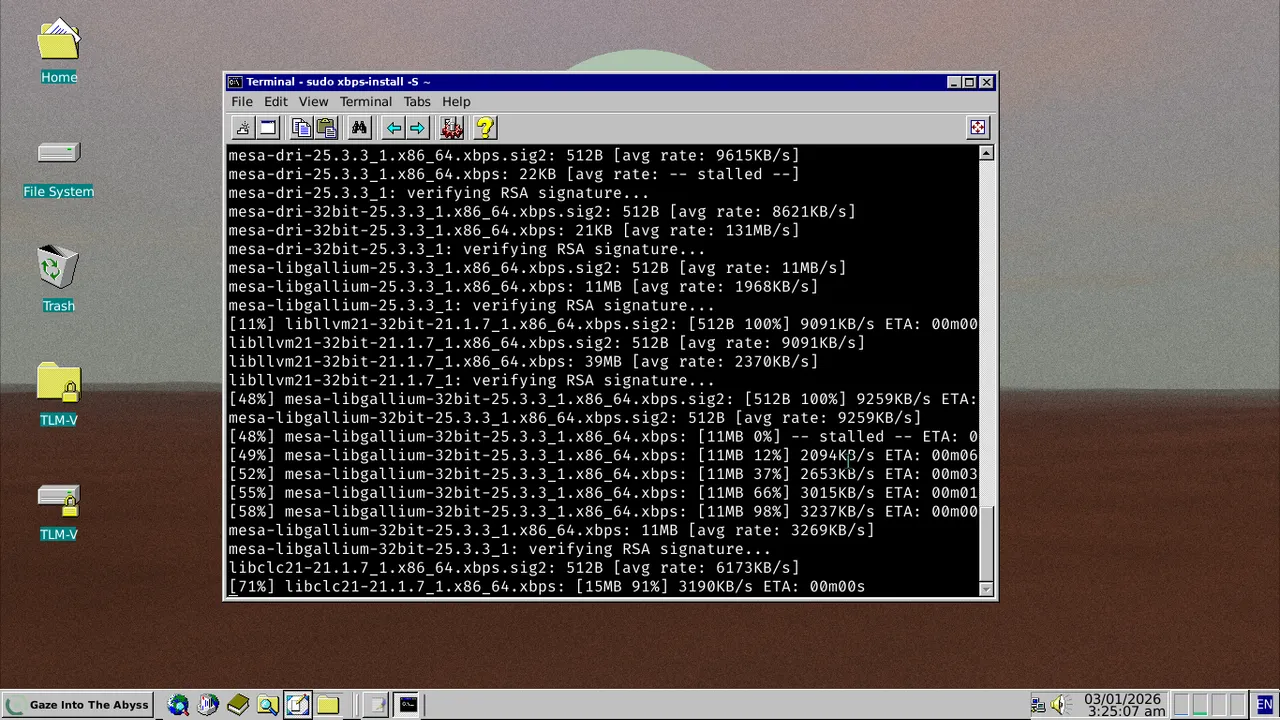
- Lightweight and Minimal: Designed to be lightweight and minimal by default
- Rolling Release with Stability: Balance between being up-to-date and stable
- musl libc Option: Better performance on older hardware with smaller memory footprint
- Xbps Package Manager: Fast, simple, and efficient
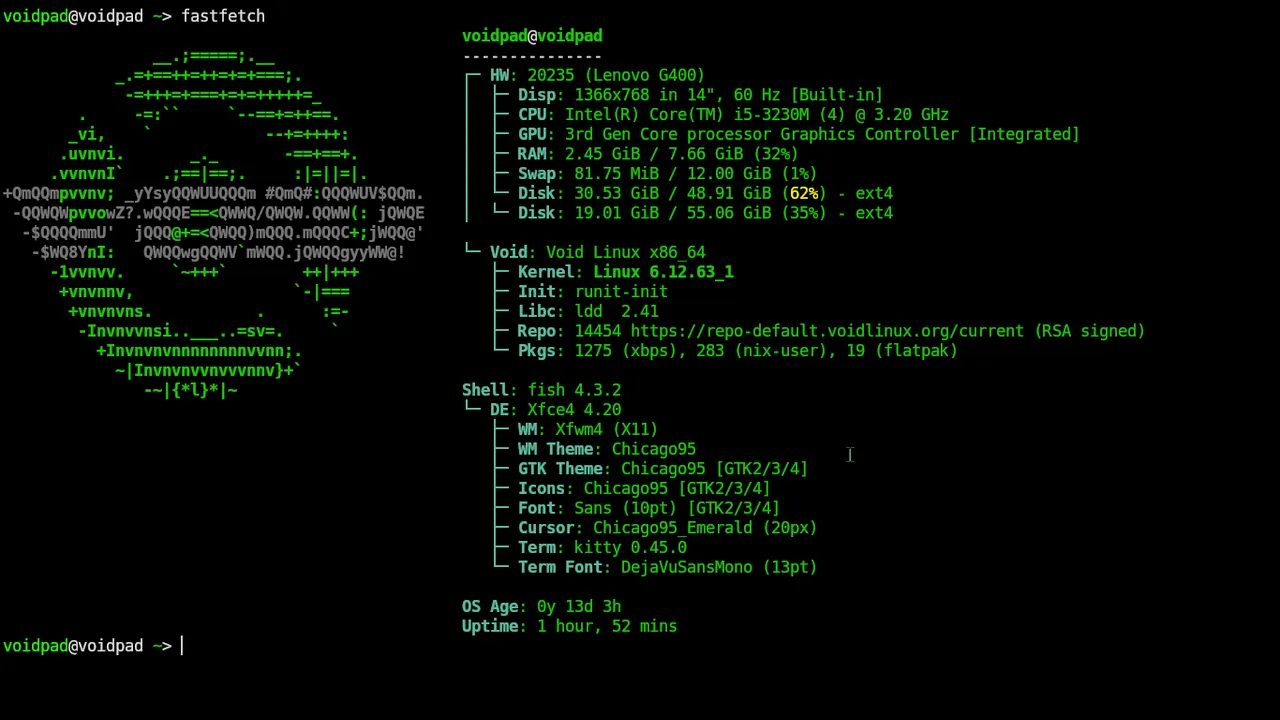
- No Systemd: Uses runit as init system, simpler and uses fewer resources
- Customization: Clean slate for building exactly what’s needed
- Community and Documentation: Excellent documentation despite smaller community
Cons:
- Smaller community: Less support compared to Arch or Debian
- Smaller package repository: Fewer packages available
- Less documentation: While good, not as extensive as Arch Wiki or Debian docs
- Learning curve: Different package manager and init system require some learning
Why Void Linux?
After comparing the available options, Void Linux was chosen as the operating system for this project. While Arch offers cutting-edge packages and Debian provides rock-solid stability, Void Linux provides the best balance for this specific use case. Key reasons for the selection:
-
Lightweight and Minimal: Void Linux is designed to be lightweight and minimal by default, making it perfect for reviving old hardware with limited resources. It has a small base installation footprint.
-
Rolling Release with Stability: Unlike traditional rolling releases, Void Linux maintains a balance between being up-to-date and stable, which is ideal for a dedicated writing machine that needs to work reliably without constant maintenance.
-
musl libc Option: Void Linux offers both glibc and musl libc variants. The musl version provides even better performance on older hardware and smaller memory footprint.
-
Xbps Package Manager: The xbps package manager is fast, simple, and efficient, making it easy to install only what’s needed without unnecessary bloat.
-
No Systemd: Void Linux uses runit as its init system, which is simpler, faster, and uses fewer resources than systemd. This aligns perfectly with the goal of maximizing performance on old hardware.
-
Customization: Void Linux provides a clean slate for building exactly the system needed - nothing more, nothing less. This allows for a truly minimal writing environment.
-
Community and Documentation: Despite being a smaller distribution, Void Linux has excellent documentation and a helpful community for troubleshooting issues during setup.
Desktop Environment: XFCE
For the desktop environment, XFCE was chosen as the default option for Void Linux. This decision aligns perfectly with the project’s goals of creating a lightweight, efficient writing machine.
Why XFCE?
- Lightweight Performance: XFCE is known for its minimal resource usage, making it ideal for older hardware with limited RAM and processing power
- Familiar Interface: Provides a traditional desktop experience that’s intuitive and doesn’t require a learning curve
- Highly Customizable: Easy to configure and customize without being overwhelming
- Stable and Reliable: Mature desktop environment with excellent stability
- Good Hardware Support: Works well with older graphics cards and hardware configurations
- Minimal Dependencies: Fewer background processes compared to heavier desktop environments like GNOME or KDE
XFCE Configuration for Writing
The XFCE desktop is configured with a retro aesthetic for a nostalgic writing experience:
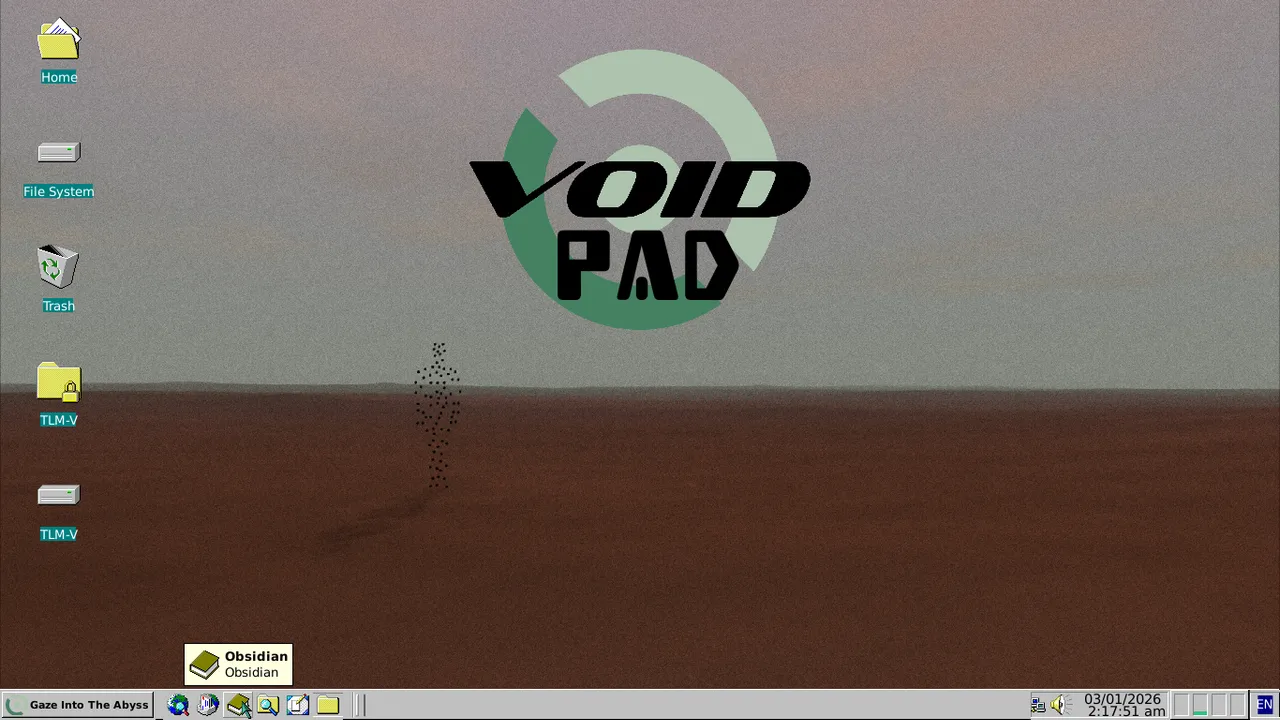
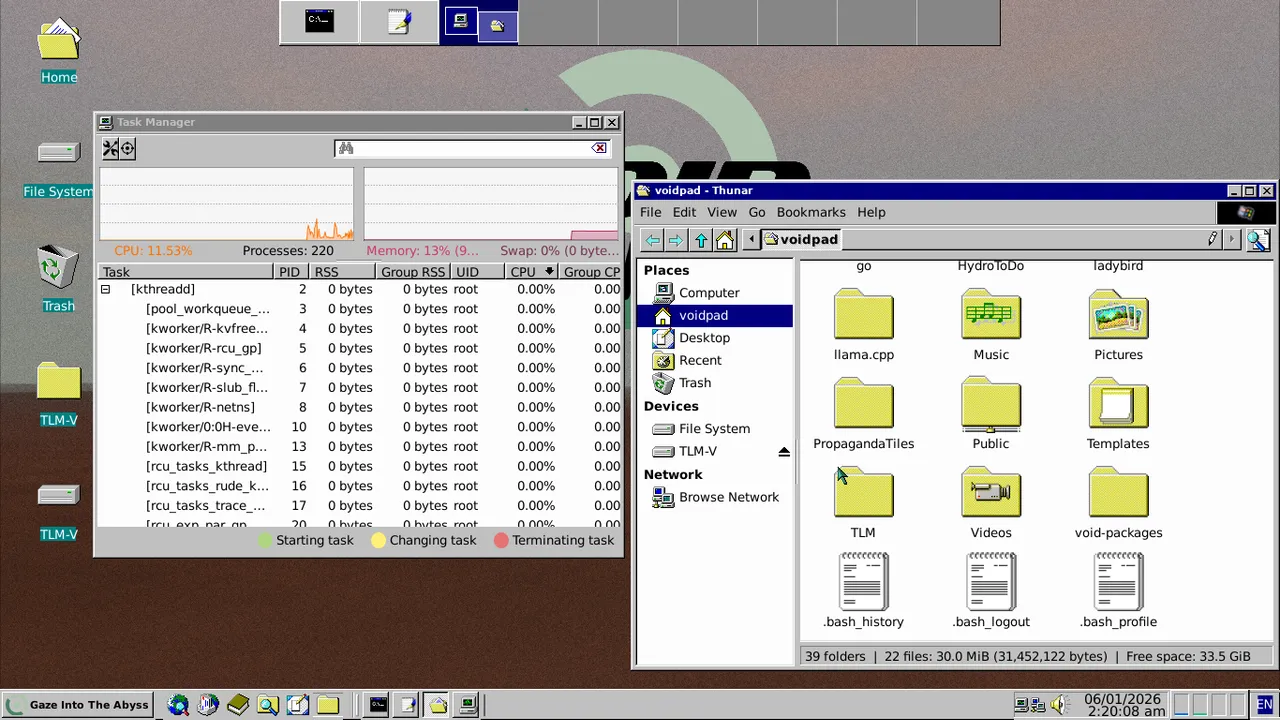
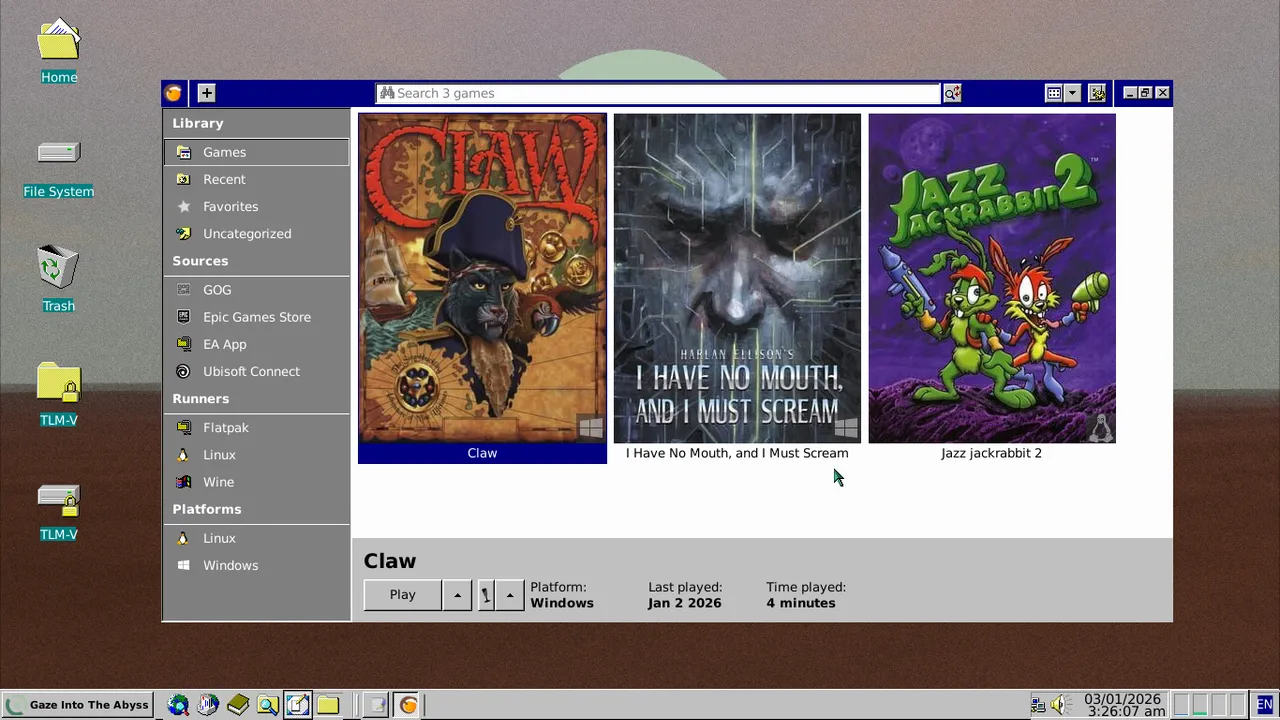
- Retro Panel: Single bottom panel styled with classic 90s/early 2000s aesthetics (beveled edges, classic icons)
- Vintage Desktop: Clean desktop with optional retro wallpaper patterns or solid colors reminiscent of classic computing
- Classic Window Manager: Traditional window decorations with classic title bars and borders for that authentic retro feel
- Nostalgic Shortcuts: Keyboard shortcuts configured for quick access to writing applications, mimicking classic text editor workflows
- Retro Focus Mode: Full-screen writing mode with vintage terminal-inspired color schemes
- Classic Theme: Carefully chosen color palette and fonts that evoke the golden age of personal computing and dedicated writing machines
Writing Environment
The laptop is configured with a minimal, distraction-free writing setup:
- Simple text editor or markdown editor
- Local file storage for entries
- No internet connectivity (or optional minimal connection)
- Custom keyboard shortcuts
- Focus mode configurations
Choosing the Writing Application
Selecting the right writing application was crucial for this project. Five options were considered:
1. Obsidian
Pros:
- Beautiful, modern interface with excellent markdown support
- Built-in graph view for connecting thoughts and entries
- Rich plugin ecosystem for customization
- Great for long-form writing and journaling
- Local-first approach (files stored as markdown)
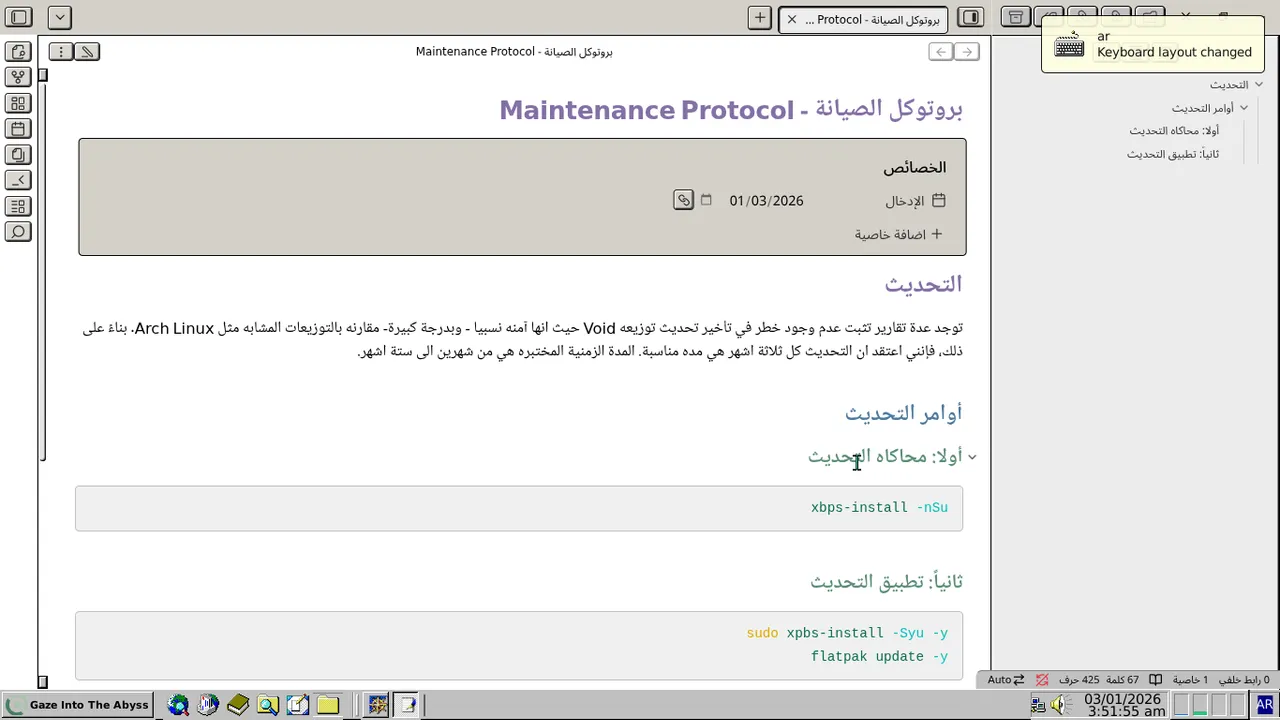
- Excellent Arabic support: Full bidirectional text support, proper RTL (right-to-left) rendering, and Arabic font rendering out of the box
Cons:
- Electron-based application (higher resource usage)
- May be too heavy for very old hardware
- More features than needed for simple journaling
- Requires more setup and configuration
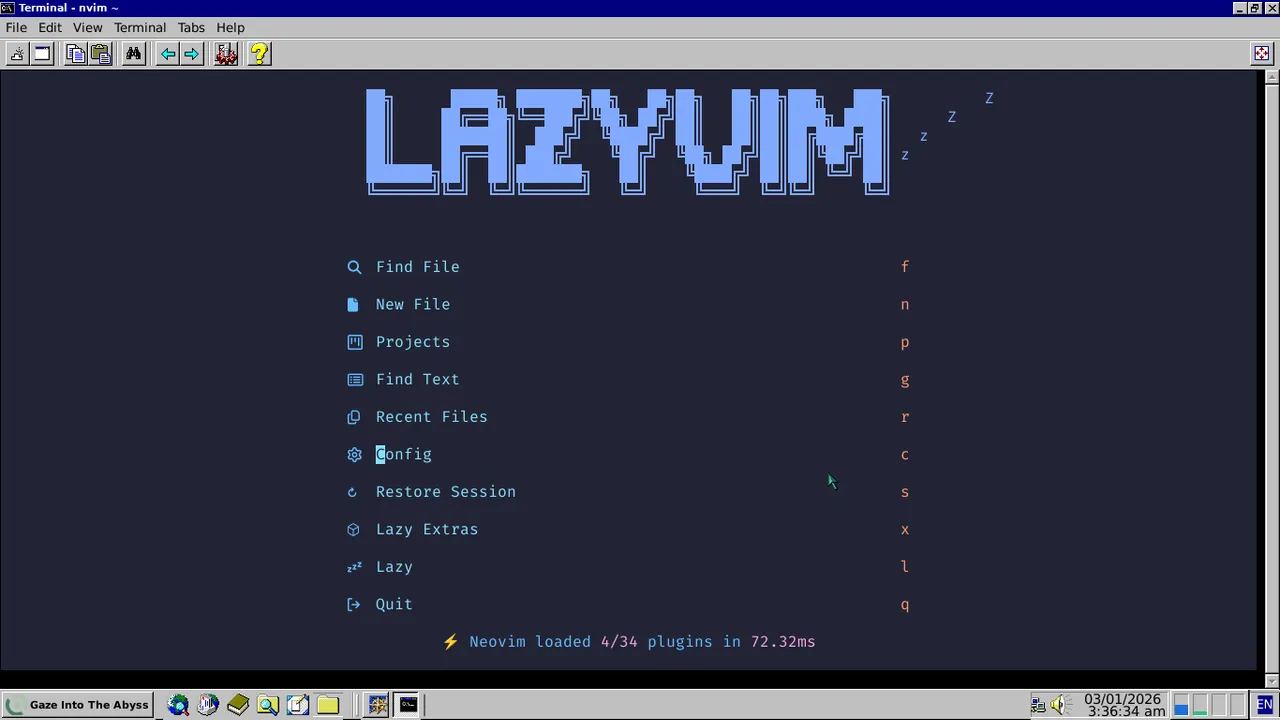
2. LazyVim
Pros:
- Extremely lightweight (Neovim-based)
- Minimal resource footprint, perfect for old hardware
- Fast startup and operation
- Highly customizable with Lua configuration
- Excellent keyboard-driven workflow
- Vim keybindings: Powerful modal editing for efficient text manipulation and navigation
- Works great with plain markdown files
- Good Arabic support: Neovim has built-in bidirectional text support, can be configured for RTL with proper plugins, and works well with Arabic fonts
Cons:
- Requires more initial configuration
- Less visual polish compared to GUI applications
- May be overkill if you just want to write
- Arabic configuration: Requires additional setup for optimal RTL text editing experience
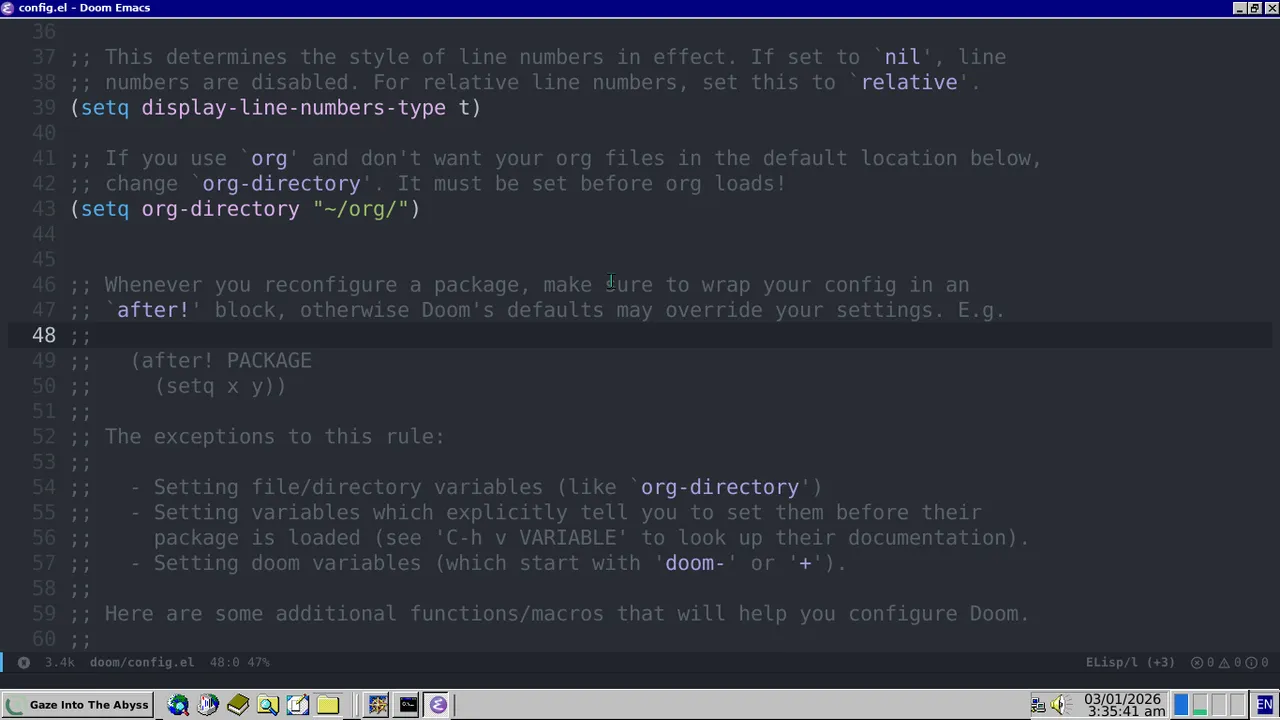
3. Emacs
Pros:
- Extremely powerful and customizable
- Org-mode for structured writing and note-taking
- Can be configured to be very lightweight
- Excellent for long-form writing
- Highly extensible with Emacs Lisp
- Keyboard-driven, distraction-free workflow
- Excellent Arabic support: Native bidirectional text editing, built-in RTL support, and extensive Arabic language packages available (including Arabic input methods and proper text shaping)
Cons:
- Very steep learning curve
- Requires significant time investment to configure
- Can become a rabbit hole of customization
- May be too complex for simple journaling needs
- Org-mode is less widely adopted than standard markdown
- Arabic setup: While powerful, Arabic support requires some configuration to enable full bidirectional editing features
4. neovim-obsidian
Pros:
- Best of both worlds: Obsidian’s linking features in lightweight Neovim
- Wiki-style links and backlinks (Obsidian compatibility)
- Graph view support for visualizing connections
- Extremely lightweight (Neovim-based, no Electron)
- Perfect for old hardware while maintaining Obsidian workflow
- Works with existing Obsidian vaults (markdown files)
- Vim keybindings: Powerful modal editing for efficient text manipulation and navigation
- Keyboard-driven workflow
- Highly customizable through Neovim configuration
- Good Arabic support: Inherits Neovim’s bidirectional text support, can be configured for RTL editing
Cons:
- Requires Neovim knowledge and configuration
- Less polished visual interface compared to Obsidian
- Requires plugin setup and configuration
- Arabic configuration: Needs additional setup for optimal RTL text editing, similar to LazyVim
5. ekphos
Pros:
- Extremely lightweight: Written in Rust, native performance with minimal resource usage
- Fast terminal-based interface: Built with ratatui and crossterm for a fast, native TUI experience
- Vim keybindings: Full vim motion support for editing (hjkl, w, b, 0, $, etc.)
- Wikilinks support: Built-in support for wiki-style links and backlinks
- Three-pane layout: Notes sidebar, content view, and outline panel for efficient navigation
- Image support: Inline image preview in compatible terminals (iTerm2, Kitty, WezTerm)
- Open source: Actively developed and open source
- Perfect for old hardware due to native Rust performance
- Good Arabic support: Terminal-based, inherits terminal’s bidirectional text support capabilities
Cons:
- Early stage: Still in development (v0.7.0 as of Dec 2025), may have bugs or missing features
- Terminal-only interface (may be less visually appealing than GUI applications)
- Requires compatible terminal for full feature set (image preview)
- Arabic configuration: Terminal-based RTL support may require additional terminal configuration
- Less mature ecosystem compared to established editors
The Decision
After testing all options, Obsidian was selected as the primary note-taking application for the Voidpad project.
Key reasons for choosing Obsidian:
- Vim keybindings support: Built-in vim mode provides efficient modal editing without additional configuration
- Excellent Arabic support: Wide selection of fonts and proper bidirectional text rendering out of the box
- Rich plugin ecosystem: Extensive community plugins for templates, daily notes, habit trackers, and workflow automation
- Cross-platform compatibility: Works seamlessly across different operating systems
- Easy encryption: Vault folders can be easily encrypted using gocryptfs for enhanced privacy and security. The entire Obsidian vault can be stored in an encrypted directory that automatically mounts/unmounts, ensuring notes remain protected at rest while providing seamless access during use. This approach maintains the simplicity of Obsidian’s file structure while adding a robust layer of security without impacting performance or workflow
- Hardware compatibility: Runs well on older laptop specifications while maintaining good performance
- Built-in productivity features: Native support for daily notes, templates, habit tracking, and task management
- Offline-first approach: All data stored locally, perfect for the privacy-focused goals of this project
While the other options (LazyVim, Emacs, neovim-obsidian, ekphos) each have their strengths, Obsidian provides the best balance of functionality, ease of use, Arabic language support, and feature completeness for a dedicated writing device.
Local AI Integration
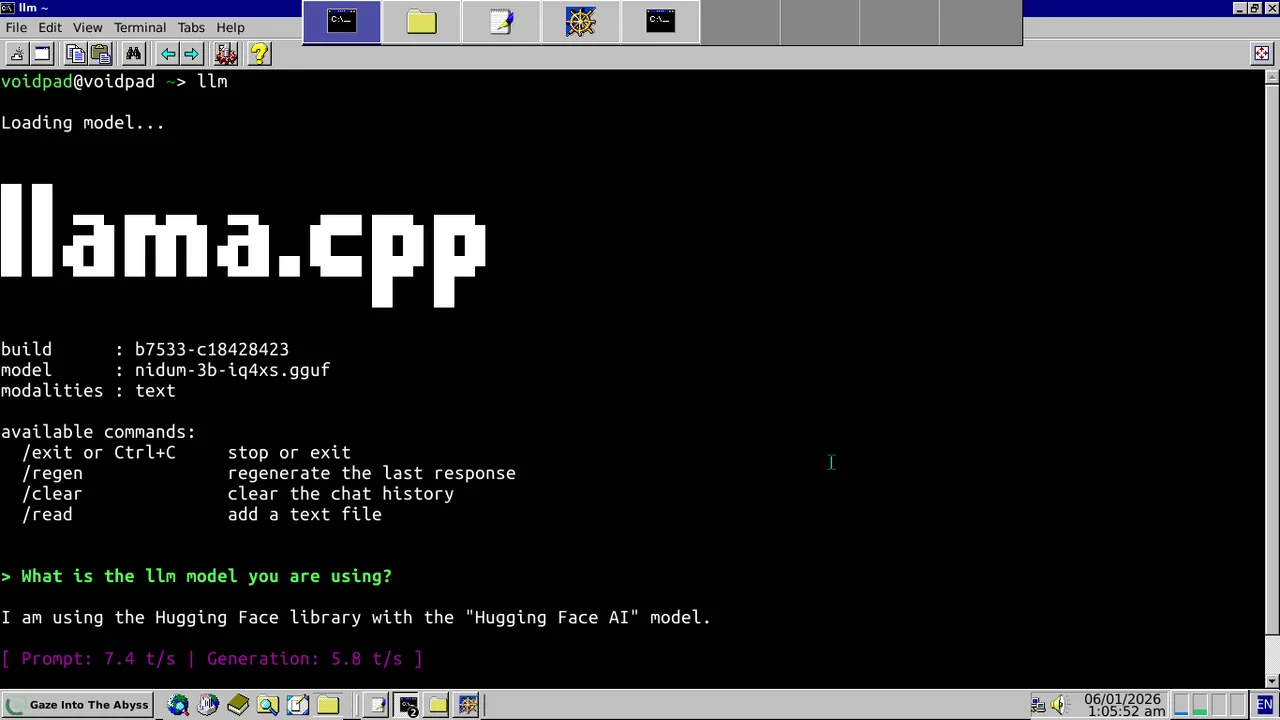
To enhance the writing experience while maintaining the offline-first approach, a local uncensored 3B parameter language model was integrated into the system. This provides AI assistance without compromising privacy or requiring internet connectivity.
Key Features:
- Completely offline: No data leaves the device, ensuring complete privacy
- CPU-only operation: Optimized to run on older hardware without GPU requirements
- Uncensored model: No content restrictions, allowing for free-form creative writing and personal expression
- Writing assistance: Grammar checking, style suggestions, and creative prompts
- Lightweight footprint: 3B parameter model balances capability with resource efficiency
Technical Implementation:
- Model runs locally using CPU inference
- Integrated through command-line interface or simple API
- Minimal memory overhead suitable for older laptop specifications
- Can be toggled on/off to preserve system resources when not needed
Benefits for the Voidpad:
- Complete privacy: Fully offline operation ensures no data ever leaves the device
- Zero external dependencies: No internet connection required for AI assistance
- Obsidian integration: Seamlessly works within Obsidian through plugins or command palette
- Hardware optimized: Specifically tuned to run efficiently on the laptop’s limited specifications
- Enhanced creativity: AI-powered writing prompts, grammar suggestions, and style improvements
- Cost-effective: No subscription fees, cloud services, or ongoing costs
- Distraction-free: Maintains the focused writing environment without external interruptions
This local AI integration perfectly complements the Voidpad’s philosophy of creating a private, distraction-free writing environment while adding modern AI capabilities that enhance rather than replace the human writing process.